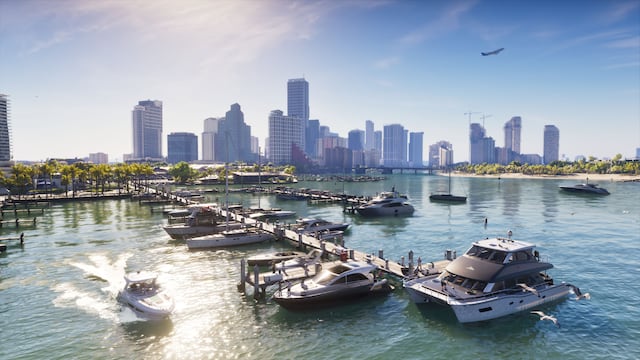
Grand Theft Auto VI has received its first post-launch update on Monday, November 23, 2026. The patch, identified as 01.002.002 on PlayStation 5 and 1.0.2.2 on Xbox Series X|S, addresses seven groups of problems, including crashes, unreliable autosaves and phone calls that could prevent story missions from progressing. Rockstar has now published a dated list of fixes on its official support website.
The update arrives four days after GTA 6 launched on November 19. For players who encountered a mission that refused to start or progress that did not save properly, this is an especially relevant download. Here is what the patch changes, how to install it, and which improvements have not been confirmed.
GTA 6 November 23 update: the key details
| Detail | Latest information |
|---|---|
| Release date | November 23, 2026 |
| PS5 version | 01.002.002 |
| Xbox Series X|S version | 1.0.2.2 |
| Reported download size | 603.8 MB on PS5; around 1.6 GB on Xbox |
| Fixes detailed by Rockstar | Seven categories of bug fixes |
| New missions or graphics modes? | No such additions are listed in Rockstar’s notes |
The file sizes and console version labels were reported by gaming outlets citing update trackers, rather than published in Rockstar’s fix list. Actual download sizes can vary by platform and installation state. The official Rockstar Support update page confirms the November 23 fixes.
All seven GTA 6 patch fixes, explained
Rockstar categorises its November 23 changes under general fixes. The following breakdown paraphrases the company’s published notes and explains why each change matters to ordinary players, without suggesting we have independently tested the patch.
1. Game crashes
Rockstar says it fixed several causes of crashes. That is encouraging if GTA 6 was closing unexpectedly during gameplay or loading. It does not establish that every crash, every PS5 error code or every hardware-specific problem has been eliminated. If a particular sequence repeatedly crashed before, updating and trying it again is a reasonable first check.
2. Autosaves not working correctly
The patch addresses a problem with the game failing to autosave as intended. Players should still check that new progress appears in their save or load menu after installing. Importantly, the note does not promise to restore progress that was already lost. Where a manual save option is available, it remains sensible to save before ending a session or undertaking a lengthy mission.
3. Story-related phone calls that fail to trigger
Some phone calls could fail to arrive, including calls needed to advance the narrative or unlock additional mission content. Rockstar specifically lists this among the fixes. If you were waiting for a call and the game seemed stuck, check for the patch before assuming you missed a hidden task. The company has not supplied a list of individual affected missions, so purported exhaustive mission lists should be treated cautiously.
4. A Wanted Level that would not disappear
The update fixes an issue that prevented players from losing their Wanted Level. This is a bug correction, not a newly announced police-escape mechanic or a guarantee that every pursuit will be easy. For a broader explanation of the game’s wanted system, read our GTA 6 Wanted Level guide.
5. Weather stuck for an unusually long period
A separate fix addresses weather conditions that failed to change over extended periods. Because Leonida’s atmosphere is a major part of the open-world experience, an apparently frozen weather state could be distracting. Rockstar has not announced a new weather mode or adjustable weather controls as part of this patch.
6. Deadlift equipment in the gym
The November 23 notes also mention a gym interaction that left the deadlift bar unusable. Rockstar says the issue is fixed. This is an interaction repair, not evidence that the studio has introduced a new exercise system or altered character statistics.
7. Partners failing to pass over bags for sale
Finally, the company has fixed a problem in which partners did not hand over bags intended to be sold to fences. The correction appears aimed at completing an existing activity properly, rather than expanding the game’s economy. Readers interested in managing money can also explore our separate GTA 6 banking, BuckMe and savings guide, published earlier on November 23.
How big is the GTA 6 update on PS5 and Xbox?
According to VICE’s November 23 coverage, which attributes the figures to game-update tracker Tex2, the download is approximately 603.8 MB on PS5 and 1.6 GB on Xbox Series X|S. Those numbers are download sizes, not a claim that the complete installation is only that large. Do not delete the game to make the patch appear; reinstalling a much larger title is unnecessary as an initial response to a delayed update.
Reports also indicate that PlayStation’s rollout was staggered, with availability expanding in phases over several hours. That distribution detail comes from third-party trackers, not Rockstar’s published list of fixes. As a result, someone not seeing the update at the same moment as another player should not automatically conclude that their account or console is broken.
How to install or check the GTA 6 patch on PS5
- Return to your PS5 home screen and highlight Grand Theft Auto VI.
- Press the Options button on the controller.
- Choose Check for Update.
- If an update is available, follow the on-screen prompts and allow the installation to finish before starting the game.
- After installation, use the game’s information or update details to check the installed version.
These update-menu instructions match PlayStation’s official guidance for India. If the download is missing, verify your internet connection, restart the console if necessary and check again. Avoid drastic steps such as deleting saved data merely to force an update.
How to check for the update on Xbox Series X or Series S
On Xbox, open My games & apps, locate GTA 6 and check the game’s Manage game and add-ons or update options. If the console offers version 1.0.2.2, let the download and installation complete. Menu labels can differ slightly between dashboard revisions. Keeping the console connected and automatic updates enabled may also help it receive new builds without a manual check.
Neither a larger Xbox download nor a smaller PlayStation download proves that one console has received extra gameplay features. Different distribution packages can have different sizes even when a game is receiving broadly equivalent changes.
Does the patch improve FPS, add missions or fix every glitch?
Rockstar’s November 23 notes do not list a new 60 FPS mode, additional missions, altered graphics presets or a PC release. Although players may notice differences after patching, those impressions should not be presented as officially verified performance improvements. The company has identified specific corrections, not a sweeping redesign of GTA 6.
Similarly, it would be premature to promise that all crashes, every money exploit or every save issue are permanently gone. A fix being listed confirms Rockstar’s stated intention and scope; results can still depend on the exact failure a player experienced. If you continue to face startup errors on PS5, consult our separate GTA 6 PS5 launch and download troubleshooting guide.
What should you do after updating?
Load the game normally and check whether the issue that affected you has changed. If a mission-related call previously failed, revisit the relevant in-game situation without assuming an invented trigger or secret workaround. If you experienced autosave trouble, confirm that current progress is recorded before a long session. And if crashes persist, note the console model, game version, error code and sequence where the failure occurs before contacting official support. Clear details make a support report more useful than a vague complaint that the game still breaks.
Rockstar’s launch-update record is the best place to revisit when another verified fix list appears.
GTA 6 update 1.002.002: frequently asked questions
Is GTA 6 update 1.002.002 official?
Yes. Rockstar Games published a November 23, 2026 support entry detailing seven categories of fixes for PS5 and Xbox Series X|S.
Does it fix missing story phone calls?
Rockstar says the patch fixes several phone-call triggers, including some connected to story progression and unlocking missions. It has not identified every individual mission affected.
Does this update bring 60 FPS to PS5 Pro or Xbox?
There is no such announcement in the official November 23 patch notes. Do not treat an unverified performance claim as a confirmed new mode.
Why is my update not appearing?
Third-party reporting indicates a staged PlayStation rollout. Try the console’s normal update-check menu and verify your connection before considering more disruptive troubleshooting.
Will the patch recover lost GTA 6 saves?
Rockstar lists a fix for autosave behaviour but does not promise recovery of already-lost progress. Check your existing save files carefully.
The bottom line: GTA 6’s first update after launch is more valuable for reliability than for flashy new content. By targeting crashes, autosaves, blocked phone calls, wanted-level problems and several world interactions, the November 23 patch addresses issues that could interrupt ordinary play. Install the correct console update, keep expectations tied to Rockstar’s published notes, and watch official channels for further changes.
Sources: Rockstar Games Customer Support, November 23, 2026; VICE, November 23, 2026; Pure Xbox, November 23, 2026; PlayStation Support.
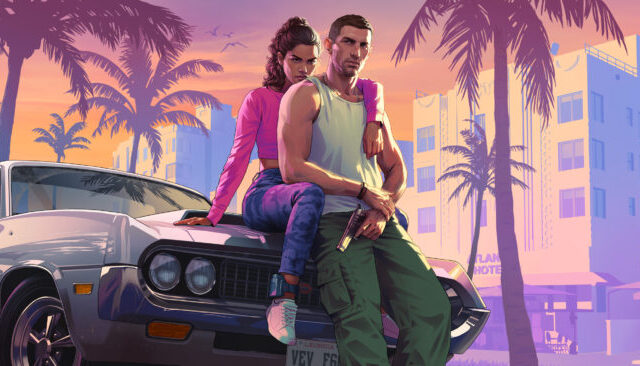
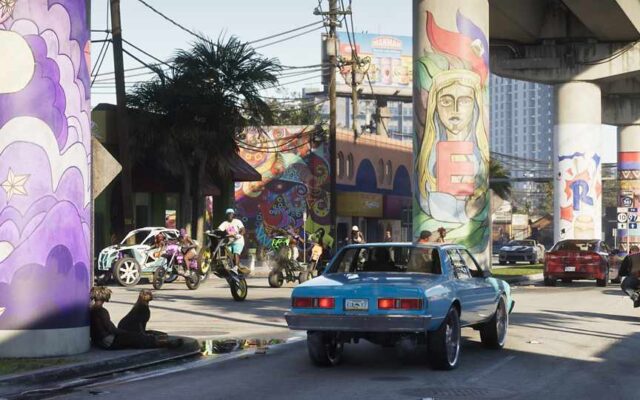
Featured image: © Rockstar Games, official Grand Theft Auto VI promotional screenshot, used for editorial illustration.

Your perspective matters
Share your thoughts respectfully. Comments are moderated.