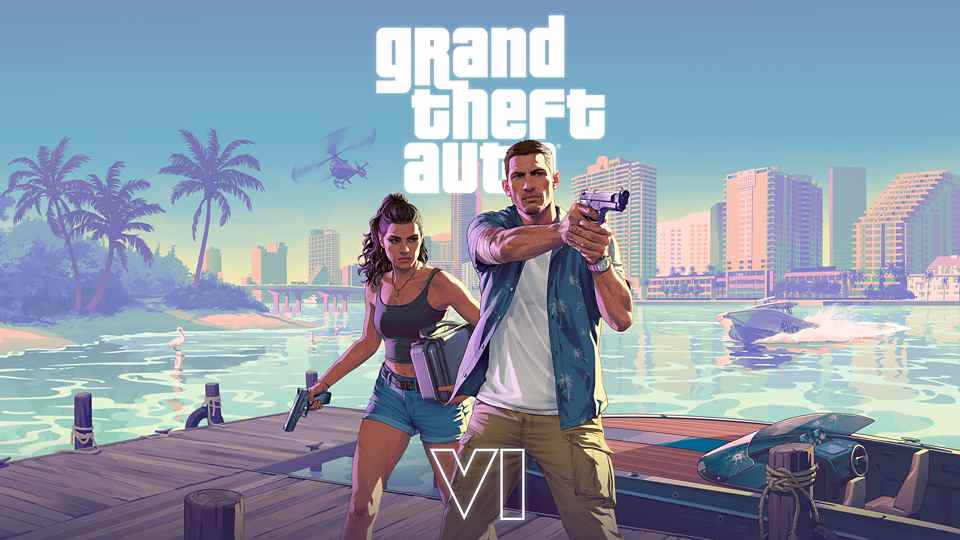
Grand Theft Auto VI is now available, but a padlock icon, stalled download or failed voucher can stop a player before they reach Vice City. If GTA 6 is not launching on your PlayStation 5, start by checking the account that owns the game, your download status and the console’s software. Sony’s dedicated GTA VI troubleshooting guide then recommends restoring licences when the purchase is not recognised. This article explains those official remedies in a sensible order, including what to do if your Code-In-Box copy will not redeem.
Updated November 20, 2026: Rockstar confirmed on November 19 that GTA VI launched for PS5 and Xbox Series X|S. This is a troubleshooting guide based on PlayStation and Rockstar’s support documentation, not a report that GTA VI is experiencing a widespread outage. Error causes vary by account, region, connection and installation.
GTA 6 PS5 troubleshooting: Start with the symptom
| What you see | First official step to try |
|---|---|
| Padlock icon or game will not open | Check the purchasing account, then restore licences |
| Download paused or stuck | Open Downloads/Uploads and select Pause, then Resume |
| Download repeatedly fails | Check service status, available storage and system software |
| Code shows “already used” | Check order history and whether another account redeemed it |
| Voucher is incorrect or invalid | Check code eligibility, region and retailer |
| Ultimate Edition extras seem missing | Check entitlement and story progression; bonuses unlock across chapters |
These are possible fixes, not guaranteed solutions. Always note the exact error text and avoid deleting saved data when resolving an installation issue.
1. GTA 6 has a padlock icon: Check the account and restore licences
A padlock beside GTA VI can indicate that your PS5 cannot currently verify access to the game. PlayStation’s guidance says to confirm that you are signed into the same PlayStation account that bought GTA VI or redeemed its voucher. You can check the purchase under your account’s transaction or order history.
If you are using a shared console and a different account owns the game, verify that Console Sharing and Offline Play is enabled on that PS5. On the owning account, navigate to Settings > Users and Accounts > Other > Console Sharing and Offline Play, then select Enable. Sharing is subject to Sony’s account rules; it does not transfer ownership.
If the licence still is not recognised, follow these steps:
- On PS5, open Settings.
- Go to Users and Accounts > Other > Restore Licences.
- Choose the relevant licence and follow the onscreen instructions.
- Alternatively, highlight GTA VI on the home screen or in your Game Library, press the Options button, and select Restore Licence when that option appears.
Sony says licence restoration does not affect your game data. For details, use its official restore licences instructions.
2. GTA 6 download stuck at zero or not moving? Restart the transfer
For a GTA 6 download that appears in the queue but has stopped progressing, PlayStation recommends opening Downloads/Uploads from the PS5 control centre. Select the GTA VI download, choose Pause, and then Resume. This should be tried before more disruptive actions.
If that does not work, PlayStation’s GTA-specific guidance suggests Cancel and Delete the failed download from the queue, return to Game Library, and start the download again. Be aware that restarting the download can consume substantial bandwidth; it may require retrieving the game files again.
Do not confuse deleting a failed download with deleting a game’s saved progress. Treat saved-data removal as a separate, more consequential action, and back up important saves before any advanced maintenance.
3. Check PSN service status, internet and free storage
Before assuming that a particular GTA VI file is defective, visit the official PlayStation Network service status page. If there is a reported PlayStation Store or account-service problem, resolving it locally may not be possible until the affected service recovers. A status page should be checked live; this guide does not claim a current outage.
Next, check the PS5’s connection at Settings > Network > Connection Status > Test Internet Connection. Restarting the console and trying a stable wired connection are among Sony’s general recommended launch and download troubleshooting measures.
For storage, go to Settings > Storage. In Game Library, select GTA VI, then … (More) > View Product to check the current free-space requirement. PlayStation originally recommended 212 GB of free space for GTA VI pre-loading, but checking the console’s latest requirement is the better choice if patches or additional content have changed it.
Finally, visit Settings > System > System Software > System Software Update and Settings. Install available system software updates and try again. Do not assume a software download is complete merely because the game’s tile appears in your library.
4. GTA 6 Code-In-Box not working: What the PS5 package contains
Sony’s official GTA VI voucher guide confirms that the physical Code-In-Box Standard Edition includes a download code, not a game disc. To redeem it, sign in to the intended PlayStation account, open Redeem Code through the account menu or PlayStation Store, and enter the code supplied with your purchase.
If the code reports that it has already been used, first check your order history. It may have been redeemed on another PlayStation account associated with the household. Sony says a retailer should be contacted when the code cannot be resolved. If the code is missing or unreadable, the retailer is also the recommended first contact.
If the voucher is described as incorrect or no longer valid, confirm its availability in your country and whether the code matches the account region. Do not post the full voucher number in public comments or social media, and avoid paying someone who promises an unofficial replacement code.
Importantly, Sony says content cannot be transferred between PlayStation accounts. Console Sharing and Offline Play may allow another user on the same PS5 to access an eligible game, but that is not equivalent to moving a redeemed voucher.
5. What if GTA 6 keeps crashing after it downloads?
PlayStation’s general game-launch support advises restarting the console, restoring the licence, checking system updates and, if necessary, deleting and redownloading the game application. On PS5, Sony also offers Clear Cache and Rebuild Database through Safe Mode as a later troubleshooting measure.
Advanced maintenance should not be the first resort. Read the precise Safe Mode option descriptions, distinguish game files from saved data and back up information before attempting anything involving reset or system-software reinstallation. For crashes inside the game, not merely a locked licence or failed download, Rockstar also provides dedicated Grand Theft Auto VI support.
Keep a note of the PS5 error code, when it occurred and what troubleshooting was attempted. Those details will make an official support request more useful.
6. Ultimate Edition bonuses or Vintage Vice City Pack missing?
Not every apparent missing item is an installation fault. According to PlayStation’s GTA VI troubleshooting page, Ultimate Edition bonuses become available across Jason and Lucia’s story, with new benefits appearing in different chapters. That means an item not available at the very beginning is not, by itself, proof that an edition upgrade failed.
The separately described Vintage Vice City Pack includes a classic ’55 Vapid Stanier, themed outfits and hairstyles, and an exclusive weapon pattern. Sony says the promotional pack applied to eligible digital purchases completed before the local November 19 deadline. Check the terms associated with the edition and account used to buy the game.
For a full explanation of the packages, see our earlier GTA 6 Standard vs Ultimate Edition guide for India. Edition bonuses should not be confused with cheats or guaranteed immediate access to every listed item.
When to contact PlayStation or Rockstar Support
If the purchase or download is missing despite a valid order, the issue relates to a PlayStation account, voucher, game installation, payment or system update, contact PlayStation Support. If the game starts but you encounter an in-game bug, quest problem or crash that appears tied to GTA VI itself, consult Rockstar Support. The platform owner and publisher have different areas of responsibility.
Do not share passwords, one-time sign-in codes, full voucher codes or payment credentials with strangers claiming to be support staff. An exact error message, screenshots with sensitive information hidden, system version and steps already attempted are generally enough to begin troubleshooting.
GTA 6 launch issues: Frequently asked questions
Why is GTA 6 locked on my PS5 even though I purchased it?
The console may not currently recognise the licence. Confirm the purchasing account and successful order, check service status, enable Console Sharing if applicable and restore licences.
Will restoring PlayStation licences delete my GTA 6 saves?
No. PlayStation explicitly states that restoring licences does not affect game data.
Is a Code-In-Box copy the same as a game disc?
No. Sony says its GTA VI physical Code-In-Box edition contains a code to download the game, not a Blu-ray disc.
Why can’t I see every Ultimate Edition bonus yet?
PlayStation says bonuses are distributed across story chapters. Check your entitlement and game progress before concluding anything is missing.
Is GTA 6 down for everyone?
A local download or licence error is not evidence of a worldwide outage. Check PlayStation’s current service page and official Rockstar notices for any confirmed widespread problem.
The bottom line
For most GTA VI PS5 access problems, the official troubleshooting order begins with the right account, a successful licence check, the download queue, service status, storage and software updates. A failed code requires its own account and retailer checks. These documented steps can help you reach the game without relying on unverified social-media “fixes,” risky files or invented error explanations.
Once the game is working, read our guide to Rockstar’s free official Leonida map for a spoiler-conscious way to start exploring. For graphics expectations, our PS5 and PS5 Pro frame-rate explainer covers the separate performance question.
Sources: Sony PlayStation’s GTA VI game troubleshooting, GTA VI code support, PlayStation licence and download support, and Rockstar Games’ November 19 launch announcement. Image credit: Rockstar Games / PlayStation, official promotional artwork. This independently compiled guide summarises published support procedures; no claim is made of first-hand testing or a confirmed system-wide outage. Last checked: November 20, 2026.





Your perspective matters
Share your thoughts respectfully. Comments are moderated.