
One week after the launch of Grand Theft Auto VI, Rockstar Games has clarified how players can collect their optional GTA+ membership rewards. A support article updated on November 24, 2026, explains where to find the available benefits and how to claim them. A separate official guide explains how subscribers can switch eligible gameplay bonuses off or on without cancelling their membership.
For anyone exploring Leonida on PS5 or Xbox Series X|S, this distinction matters. Owning GTA 6, subscribing to GTA+, collecting a reward and enabling a gameplay boost are four different things. Here is a spoiler-free guide to getting them right, including the free-month offer for eligible early digital purchases.
What does GTA+ give you in GTA 6?
Rockstar describes the Grand Theft Auto VI membership perks as optional. Its official GTA VI membership overview lists several benefits that affect Jason and Lucia’s adventures, rather than simply duplicating the rewards available in the older GTA Online.
| Benefit | What Rockstar lists |
|---|---|
| Sports car and garage | The ’90 Annis Venturas BLVD Elegy and a Crosstown District garage, claimable from Chapter 3 |
| Vehicle sales | 10% higher sale value for owned vehicles |
| Transport perks | Selected vehicle-care, rideshare, rental and metro benefits |
| Shopping perks | 10% off purchases at participating businesses |
These benefits have different purposes. Someone interested in collecting cars might be attracted to the vehicle and garage, while someone spending a lot of time exploring on foot could find the transport perks more relevant. The shopping discount is not a universal reduction on everything sold in Leonida. Rockstar identifies selected participating businesses, so check the actual price before deciding whether an item is worth purchasing.
There is also an important progression requirement: the advertised sports car and garage are not necessarily available at the beginning of the story. Players who have not yet reached Chapter 3 should not assume their membership has failed simply because these rewards are missing.
How to claim GTA+ benefits in GTA 6 on PS5 and Xbox
The November 24 Rockstar customer support instructions provide a useful starting point. An active membership is required, and the subscription information on Rockstar’s GTA VI website also specifies an internet connection for accessing and claiming benefits.
- Pause Grand Theft Auto VI.
- Enter the Store section and find GTA+.
- Choose the individual reward you are interested in.
- Check its description for the collection requirements.
- Return to gameplay if the instructions say the reward must be collected in the game world.
Do not assume that opening the store automatically adds every reward to your inventory or garage. The store description is the place to check what you have to do for that particular benefit. Some players may be looking for an item, whereas others are looking for a change to an existing service or price. Treat those as separate checks.
How to turn GTA+ Boosts off or on
If you prefer to play through the story without eligible membership advantages, there is no need to cancel the subscription just to change that preference. Rockstar’s official boost settings guide, dated November 18, describes this menu route:
Pause Menu → Account → Rockstar Games → GTA+ Boosts. Set the switch to your preferred state.
The setting is intended for active members. Crucially, it does not control every membership perk. Consult the store description for each reward to understand which features can actually be switched off. Rockstar’s general instructions do not establish that changing this setting will remove an item already collected or reverse a transaction.
A player interested in experiencing the game’s original economy might choose to disable eligible boosts and see how the experience feels. Others may prefer to leave them enabled. There is no single correct choice, and you should not need to restart the entire story merely to explore the setting.
For more ways to tailor your playthrough, see our separate GTA 6 accessibility settings guide. Accessibility options and membership benefits serve different purposes, so it is worth reviewing them independently.
Can you still claim your free GTA+ month?
The early-purchase promotion ended with the November 19 launch window, but eligible buyers may still have time to redeem the included membership. According to Rockstar’s redemption instructions, digital Standard and Ultimate Edition purchases made before November 20, 2026, qualified for one month without an additional subscription charge.
- PlayStation: Redeem through the GTA+ listing on the platform store no later than March 31, 2027.
- Xbox: Look in the Microsoft Store’s Offers & Credits area and redeem within 180 days of the qualifying transaction.
There is a one-redemption limit per platform account. Existing subscribers who redeem a qualifying offer receive an extension of their membership by one month. If you purchased GTA 6 after the cutoff, do not assume that a free month is still included; check the actual offer attached to your purchase.
Players comparing the game editions can also read our GTA 6 India edition and pricing guide for launch context. Prices and promotions can change, so the current platform store is the final reference for a new purchase.
How to avoid an unexpected GTA+ renewal
Turning off the in-game boost is not a billing action. GTA+ is a recurring monthly membership, including after the promotional month unless renewal is cancelled. Rockstar’s membership page says access normally lasts through the end of the current subscription period after auto-renewal is stopped.
On PlayStation, visit the official subscription management instructions and locate GTA+ in your account subscriptions. Xbox customers should manage the membership through their Microsoft account subscriptions and follow the available cancellation or recurring billing controls. Check that the subscription shows the intended expiry or renewal status after making the change.
Review the local subscription price before accepting a promotion, and check the terms of individual rewards before letting the membership lapse. Ongoing service benefits are not necessarily treated the same way as items that have already been collected.
GTA+ rewards not showing? What to check first
Before trying drastic troubleshooting steps, work through the basics. Confirm that the account used to play is the one associated with the membership purchase. Check that the membership is active, the console is connected to the internet and the individual reward is available at your current point in the story. Read the reward instructions inside the game rather than relying on an old screenshot of the menu.
If all of those checks pass but the reward is still unavailable, save your progress safely, close the game and reopen it. This is a general troubleshooting suggestion, not a guaranteed Rockstar fix. If the issue persists, contact Rockstar Support with the name of the missing reward, your console platform and the relevant subscription details. Avoid sharing passwords or payment information publicly.
Is GTA+ necessary to enjoy GTA 6?
No. The membership perks are optional. If you are happy with the base game, there is no reason to subscribe solely to follow Jason and Lucia’s main story. If you already qualify for the introductory month, you can assess the extras and decide whether the ongoing cost makes sense for you.
The most important takeaway from Rockstar’s November 24 clarification is simple: inspect the individual benefit, collect it according to its instructions, and manage your preferred gameplay boosts separately from your real-world subscription.
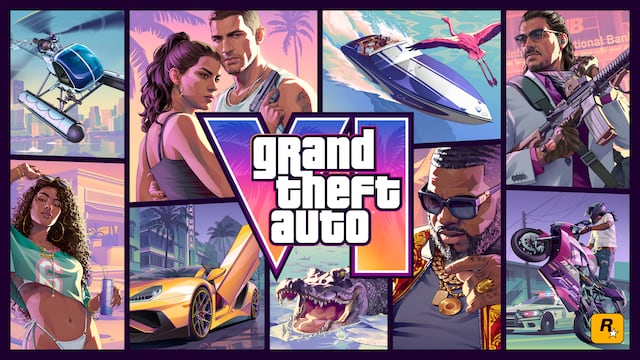
Featured image: Official GTA VI GTA+ promotional artwork, courtesy of Rockstar Games. This guide is based on official documentation checked on November 26, 2026, not independent gameplay testing.






Your perspective matters
Share your thoughts respectfully. Comments are moderated.