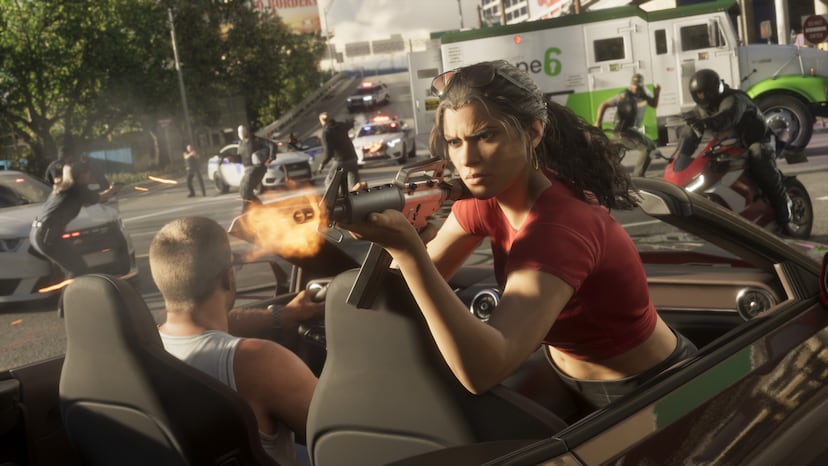
If you have just finished a spectacular story mission in Grand Theft Auto VI and want to try it again, the pause menu may come as a surprise. GTA 6 does not offer a dedicated replay menu for completed story missions. Rockstar has explained why, and the good news is that a little planning with manual saves can give you another chance to experience a favourite section without abandoning your main playthrough.
In a report published on November 25, 2026, Kotaku reported comments from Rockstar senior design director Scott Butchard explaining that replaying isolated missions undermined the significance of decisions made during the campaign. This guide explains the practical implications for PS5 and Xbox Series X|S players, using a spoiler-free approach. It reflects information available on November 27, 2026.
Can you replay missions in GTA 6?
No, you cannot select a completed story mission from a replay list. There is no chapter selection menu either, according to PowerPyx’s mission replay guide. The same restriction applies to optional Stranger and Freaks missions covered in its guide. Unlike GTA V, GTA VI also does not have the familiar mission gold-medal system.
The important distinction is between revisiting the game at an earlier point in its story and replaying a mission independently of the campaign. A manual save lets you do the former. It is not a replacement for the latter: loading it changes the active state of your playthrough, including the progress you had accumulated at that point.
If you are still near the start of the story, you have an advantage. You can build a small archive of saves now, instead of discovering after the credits that your only save is from the end of the campaign.
Why did Rockstar remove mission replay?
Rockstar considered the feature during development, Butchard told Kotaku. The studio ultimately felt that detaching an individual mission from the wider narrative would diminish the impact of the player’s choices. GTA 6’s campaign follows Jason and Lucia, and the design decision places the continuing story ahead of an isolated replay or score-chasing system.
For players, this means it is worth approaching major missions as part of a continuous journey, rather than treating the story as a collection of levels that can be accessed again at any time. You do not need to chase a perfect performance on every mission. You may find it more rewarding to accept a surprising outcome on your first playthrough and explore an alternative on a separate save.
No future mission replay feature was announced in the interview. The absence of the feature today should not be confused with a confirmed plan to introduce it later.
How to manually save GTA 6 on PS5 and Xbox
Manual saving is available during free roam. PowerPyx’s saving guide identifies 15 manual slots in addition to the automatic save. To make a checkpoint of your own before starting a mission:
- Finish any active mission and return to normal free roam.
- Press Options on PS5 or the Menu button on Xbox Series X|S.
- Navigate to the Game section of the pause menu.
- Choose Save Game.
- Select an unused slot, or deliberately replace a save you no longer need. Wait for saving to finish.
If the option is unavailable during a story sequence, complete the section and try again when control has returned to you in the open world. Do not assume that a mission checkpoint is equivalent to a permanent manual save. It is better to prepare your own save before entering an important story marker.
How to revisit a mission without losing your current progress
Imagine that you have reached a later chapter, spent hours exploring Leonida and want to revisit something from earlier in the campaign. You have a manual save from before the mission. Before loading it, create a new manual save of the playthrough you are currently using. That extra step is essential because loading an earlier file can replace the rolling autosave.
- Make a fresh manual save of the current game in a different slot.
- Open the pause menu, enter Game and use Load Game to select the earlier file.
- Continue from that earlier point until you reach the mission you want to revisit.
- When finished experimenting, load the recent manual save to return to your main campaign.
Think of these two saves as different timelines. Do not expect upgrades, purchases or story progress earned in one timeline to transfer to the other. In particular, do not overwrite the recent save while playing the older branch. If you do not already have a save from before the mission, this method cannot take you backwards to it.
A simple way to manage all 15 save slots
With a long open-world game, it is easy to create several saves that all represent the same evening while keeping nothing from the preceding week. Rather than saving randomly, you can use this suggested allocation. It is an editorial recommendation, not a setting built into GTA 6.
| Manual slots | Suggested purpose |
|---|---|
| 1–5 | Preserve an early free-roam save from each of the five chapters. |
| 6–10 | Keep five snapshots from interesting story milestones or before major missions. |
| 11–13 | Rotate recent progress saves, replacing the oldest of these three. |
| 14 | Reserve for experiments on an earlier branch. |
| 15 | Protect your latest main playthrough before loading an old save. |
For additional clarity, keep a short note on your phone with the slot number and the point in the story it represents. You can record the last completed mission or simply write a spoiler-free description that you recognise. This is particularly helpful if you play in short sessions and return to the game after several days.
Has the November update fixed autosaving?
Rockstar’s November 23 launch update notes confirm a correction for faulty automatic saving. That is welcome news, but the correction is not a new mission replay system and does not remove the need to retain older manual files. Install the latest available update before playing. Our GTA 6 November 23 patch guide covers the other documented fixes.
Make a manual save before ending a session, especially after spending time on optional activities. If you have followed our GTA 6 health, stamina and Focus guide and made substantial character progress, protect that work before visiting an older story file.
Frequently asked questions
Does completing GTA 6 unlock chapter select?
Current walkthroughs do not identify a chapter selection feature after the ending. Save important campaign moments in advance if you want to return to them.
Can I still explore Leonida after the story?
Yes. PowerPyx reports that post-story free roam remains available for collectible hunting and completion activities. Some optional story content may become unavailable as the campaign advances, so free roam is not a guarantee that every earlier mission will return.
Do I need to start a new game to revisit an unsaved mission?
If no earlier save is available, you may need another playthrough to reach that particular mission again. Preserve your existing campaign before starting over.
Editorial note: This spoiler-free guide is based on published walkthroughs and Rockstar’s documented statements, not independent hands-on testing. Featured image: official GTA VI promotional screenshot from Rockstar Games’ media gallery.







Your perspective matters
Share your thoughts respectfully. Comments are moderated.